Last updated: August 11, 2026
Not sure what to do with WOWPASS first? Use this WOWPASS Complete Guide to identify whether you need to get the card, add money, pay, use transportation, or fix a problem.
WOWPASS puts several travel functions on one card, but the next step depends on what you are trying to do. Getting the card, adding money, paying in a store, and using public transportation are not the same action.
The most important distinction is between the WOWPASS payment balance and the Tmoney transportation balance. Check the balance that matches your next action before you continue.
This WOWPASS Complete Guide starts with that decision, then takes you to the matching setup, payment, transportation, app, or troubleshooting section.
Quick Answer: What Should You Know First?
Using WOWPASS for the first time? Start by checking which balance you actually need.
Paying, taking public transportation, or dealing with a WOWPASS problem? Find your situation in the chart first, then check the balance or problem that matches your next action.
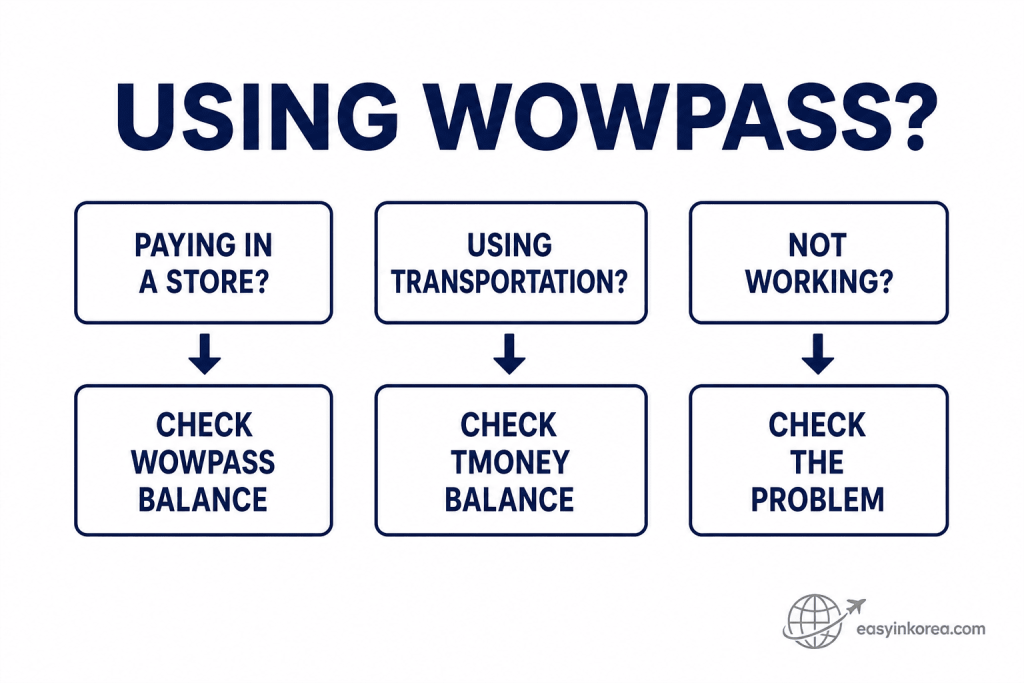
The first check depends on what you are trying to do. A store payment uses the WOWPASS payment balance, while public transportation uses the Tmoney transportation balance.
If something does not work, do not assume both functions have failed. Start with the place where the problem happened, then check the matching balance, screen message, or card issue.
The WOWPASS Complete Guide uses this distinction throughout the next sections so you can move from the situation you see to the right next step.
This WOWPASS Complete Guide explains the first thing to understand before you get, top up, pay with, or use WOWPASS for transportation in Korea.
WOWPASS combines a prepaid payment function with a Tmoney transportation function. The important point is that the money used for normal card payments and the money used for public transportation are handled separately.
Paying at a store?
Check the WOWPASS payment balance.
Taking a subway or bus?
Check the Tmoney transportation balance.
Something not working?
Identify where the problem happened before trying another action.
You do not need to learn every WOWPASS feature at once. Start with what you are trying to do now, then follow the matching section below.
Table of Contents
How Does WOWPASS Work?
The most important part of WOWPASS is knowing which balance is being used.
Store payment or public transportation? Check this chart before you continue so you use the balance that matches what you are trying to do.
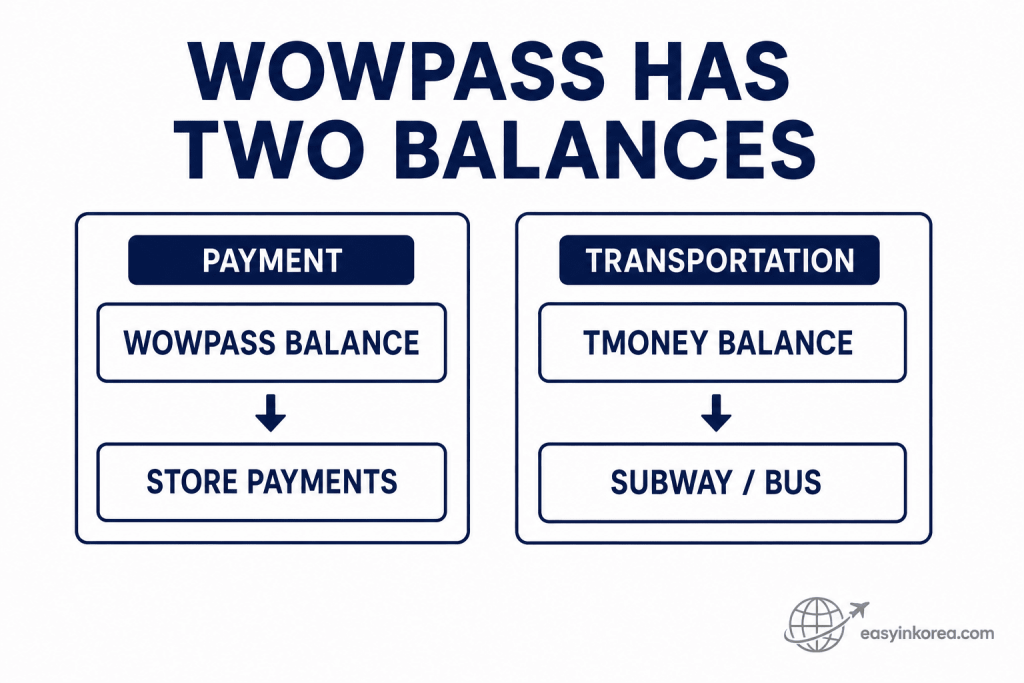
WOWPASS puts payment and transportation functions on one physical card, but the balances serve different purposes. Store payments use the WOWPASS balance, while subway and bus travel use the Tmoney transportation balance.
Money available for a store purchase does not automatically tell you whether the transportation balance is ready for your next ride. Check the balance that matches the action you are about to take.
This distinction is one of the key points in the WOWPASS Complete Guide and helps you avoid checking the wrong balance when a payment or transportation trip does not work as expected.
WOWPASS puts payment and transportation functions on one physical card, but they do not use one shared balance. Understanding this difference prevents many common problems.
WOWPASS Payment Balance
The payment balance is used for supported card purchases. Check this balance before paying at a store, restaurant, café, or other merchant that accepts the transaction.
Tmoney Transportation Balance
Public transportation uses the card’s Tmoney transportation function. Check the transportation balance before entering a subway gate or boarding a bus.
Remember: Having enough money for a store payment does not automatically mean the transportation balance is ready for your next trip.
Is WOWPASS Right for Your Trip?
Before getting another travel card, check which functions you will actually use in Korea.
Before choosing WOWPASS or another travel payment option, check what you actually need for this trip. Use the chart to match your payment, transportation, top-up, and cash needs before comparing your options.
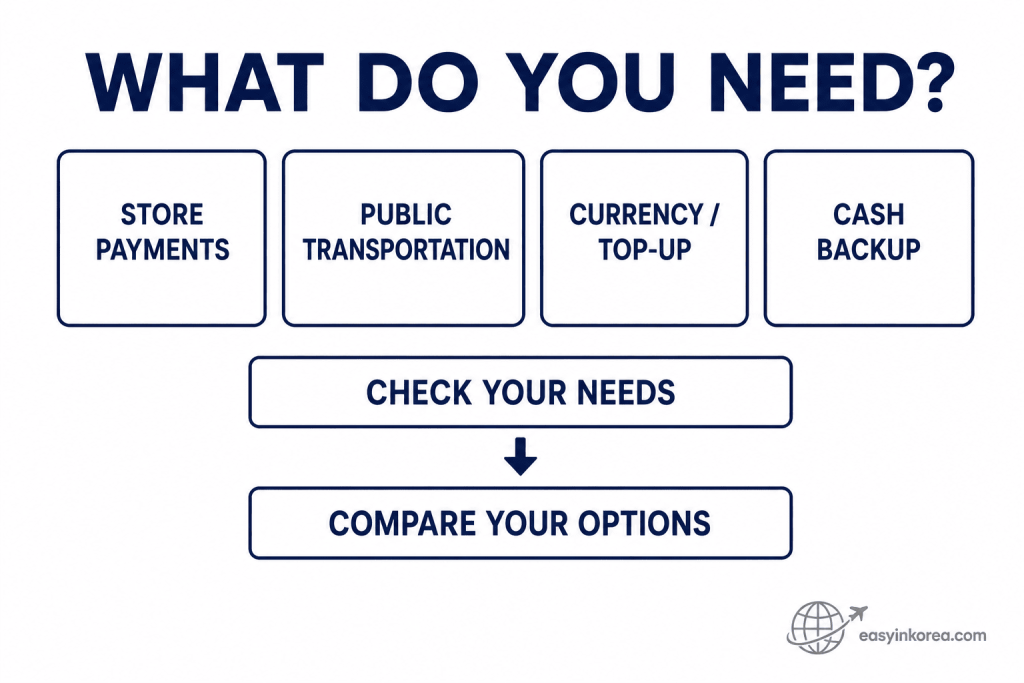
Start with your travel needs rather than the card name. A traveler who only needs public transportation may make a different choice from someone who also wants store payments, currency services, or another way to manage travel money.
Cash also has a separate role. Even when you plan to use a travel card, keeping a suitable backup payment method or Korean won can help when a machine, merchant, or service is unavailable.
The WOWPASS Complete Guide uses these needs as the starting point before comparing WOWPASS with T-money, other travel cards, or a cash and ATM option.
A WOWPASS Complete Guide should help you decide what to use, not tell every traveler that one card is the right choice.
Need public transportation only?
Compare WOWPASS with a regular T-money option before deciding.
Need both card payments and transportation?
Check whether the WOWPASS functions match the way you plan to travel.
Need Korean won cash?
Compare a suitable ATM or other cash option as well.
Still deciding?
Compare current services, top-up methods, costs, and the backup payment methods you already have.
The right setup can be different for a short city trip, a longer stay, or a traveler who already has an international card that works in Korea.
How to Get WOWPASS
Ready to get a card? Check the current issuance location and available option before you go.
Getting a WOWPASS card? Use this process to check the current location and issuance option before following the machine screen, so you know what to do before and after receiving the card.
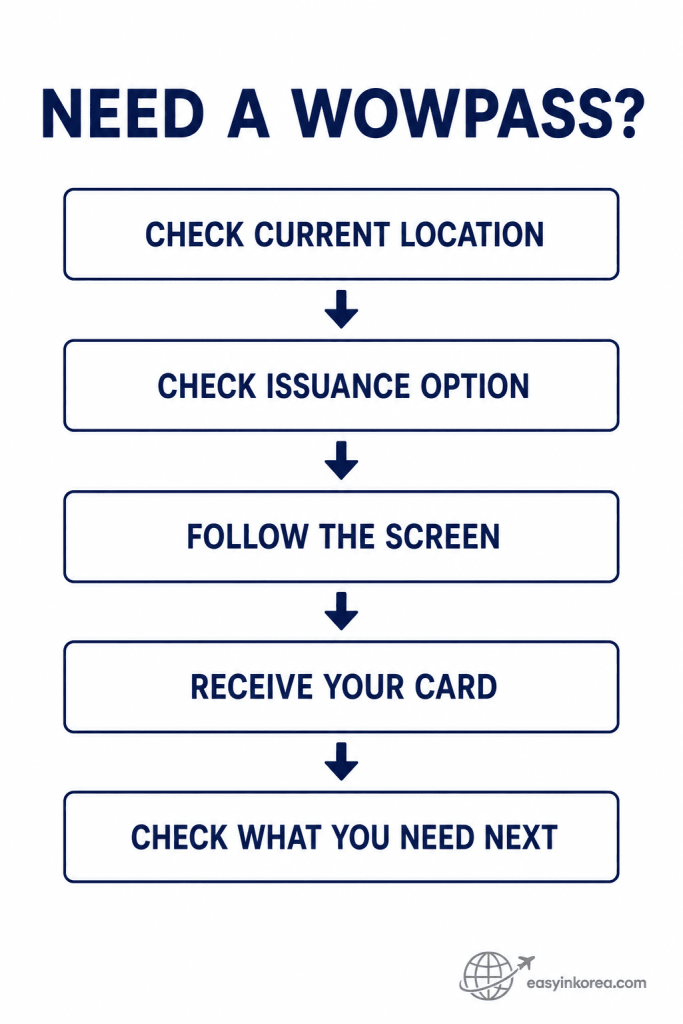
Start with the current issuance location instead of relying on an old kiosk screenshot or travel guide. Machine locations and available card services can change, so check the current option before you go.
At the machine, follow the instructions shown on the screen and complete the required steps before taking the card. If the screen or issuance process differs from an older guide, use the current instructions you see.
After receiving the card, the WOWPASS Complete Guide moves to the next question: do you need payment balance, transportation balance, or another setup step before using the card?
Start by checking a current WOWPASS machine or issuance option. Locations and available services can change, so use current official information instead of relying on an old travel screenshot.
At the Machine
Follow the language and issuance instructions shown on the screen. If the machine asks for verification or another required step, follow the current instructions displayed there.
Before leaving: Make sure you have the card and check what you need next. If you plan to take public transportation, remember that the transportation balance needs its own check.
For the full issuance process, continue with the How to Get WOWPASS in Korea guide.
How to Top Up WOWPASS
Before adding money, check which balance actually needs more funds.
Need to add money to WOWPASS? Check whether you need funds for a store payment or public transportation first, then follow the current top-up instructions for the correct balance.
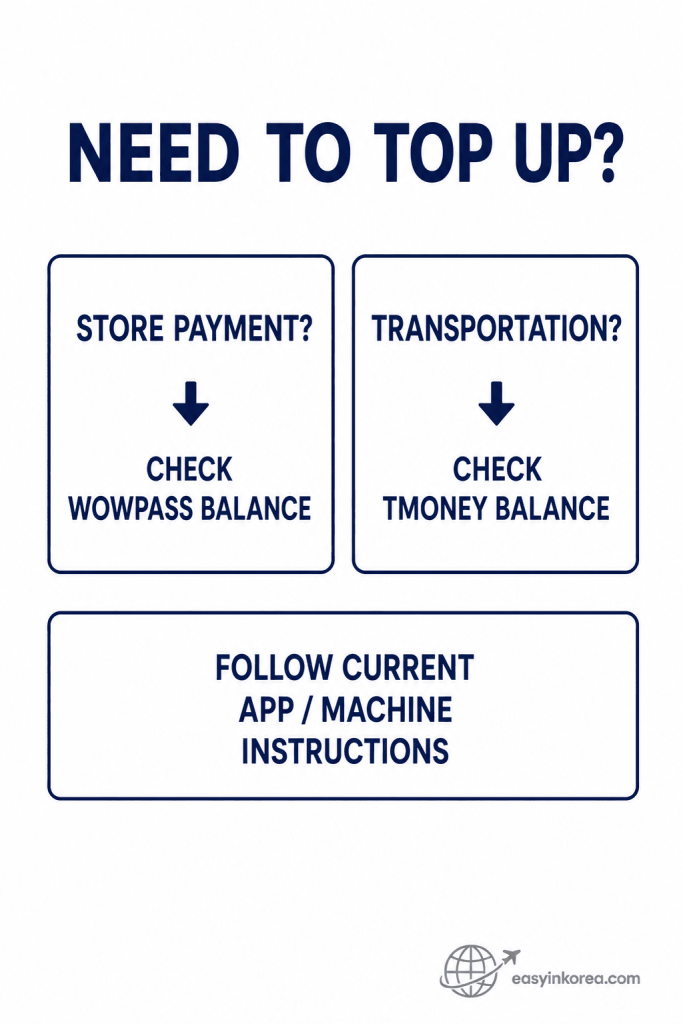
Start by checking which balance is low. Money needed for a store payment and money needed for public transportation are not handled as one shared balance.
If you need payment funds, check the WOWPASS balance. If you need subway or bus fare, check the Tmoney transportation balance. After identifying the correct balance, follow the current app or machine instructions shown for that top-up.
The WOWPASS Complete Guide uses this balance-first check to help you avoid adding money to the wrong place before your next payment or transportation trip.
Do not start by choosing a top-up method. First identify whether you need money for normal card payments or for public transportation.
Need More Payment Balance?
Check the top-up options currently available in the WOWPASS app or at the machine you are using. Supported methods can change, so follow the current screen before confirming.
Need More Transportation Balance?
Check the Tmoney transportation balance and use a currently supported transportation top-up method.
For detailed steps, see How to Top Up WOWPASS.
How to Pay with WOWPASS
Paying at a store? Check the payment balance before you start the transaction.
WOWPASS can be used for supported card payments. Before paying, check that the payment balance has enough money for the purchase.
1. Check your payment balance.
2. Follow the payment terminal or staff instructions.
3. Check the amount before confirming.
4. If the payment fails, read the message before trying another action.
The transportation balance cannot replace the payment balance for a normal store purchase. For more detail, see How to Pay with WOWPASS.
How to Use WOWPASS on Subway and Bus
Taking public transportation? Check the Tmoney balance, not only the WOWPASS payment balance.
Taking a subway or bus with WOWPASS? Check the Tmoney balance first, then use the card at the gate or reader and follow the message you see.
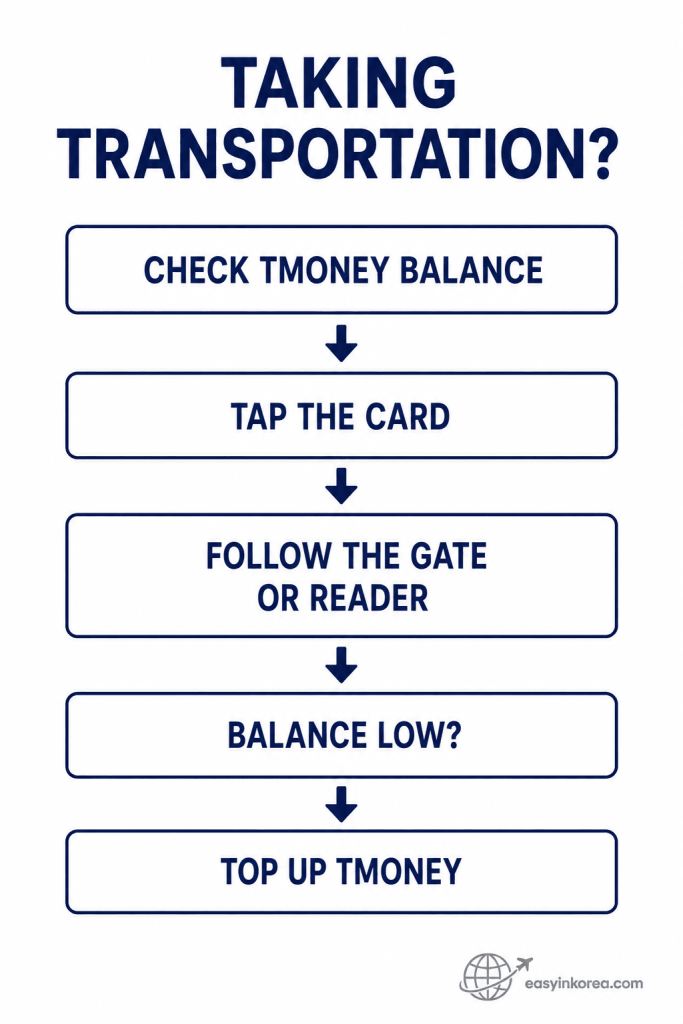
Public transportation uses the Tmoney transportation function, so check that balance before starting your trip. A separate WOWPASS payment balance does not tell you whether the transportation balance is ready.
Tap the card where the gate or reader requires it and follow the message shown. If the transportation balance is low, use a currently supported Tmoney top-up option before continuing.
The WOWPASS Complete Guide uses this transportation check to separate subway and bus use from normal store payments, so you can fix the right problem if a gate or reader does not respond as expected.
WOWPASS includes a Tmoney transportation function. Before starting your trip, check the transportation balance separately from the payment balance.
At the Subway
Tap the card as required by the fare gate and follow the message you see. If the gate does not open, check the transportation balance before assuming the whole card has failed.
On the Bus
Follow the card reader and current local transportation instructions when boarding and leaving the bus.
Common mistake: A high WOWPASS payment balance does not mean your Tmoney transportation balance has enough money.
See How to Use WOWPASS on Subway in Korea for the dedicated transportation guide.
How to Use the WOWPASS App
Need to check your card? Start with the information currently available in the official WOWPASS app.
The WOWPASS app can help you check and manage card information while traveling. Available functions can change, so use the current app screen as your reference.
Check Your Balance
Check the balance that matches what you are trying to do. Do not confuse the normal payment balance with the transportation card balance.
Check Transactions and Card Status
Use the available wallet, transaction, notification, and card-management information when you need to confirm a payment or check your card.
For a dedicated walkthrough, continue to the WOWPASS App Guide.
Currency Exchange and Korean Won Cash
Using a currency or cash-related service? Check the current amount and conditions before confirming.
Currency services, supported top-up methods, rates, fees, limits, and machine functions can change. Use the current WOWPASS screen or official information when making the transaction.
Check the displayed rate.
Check any fee or condition shown.
Check the final amount.
Confirm only after the details make sense for your transaction.
If you need Korean won cash rather than card balance, compare the purpose of WOWPASS with a suitable international ATM before choosing your next step.
WOWPASS Not Working? Check the Problem First
A failed transaction does not always mean the WOWPASS card itself has failed.
WOWPASS not working? Start with where the problem happened. Identify payment, transportation, top-up, app or machine, or card trouble first, then follow the next step that matches that problem.
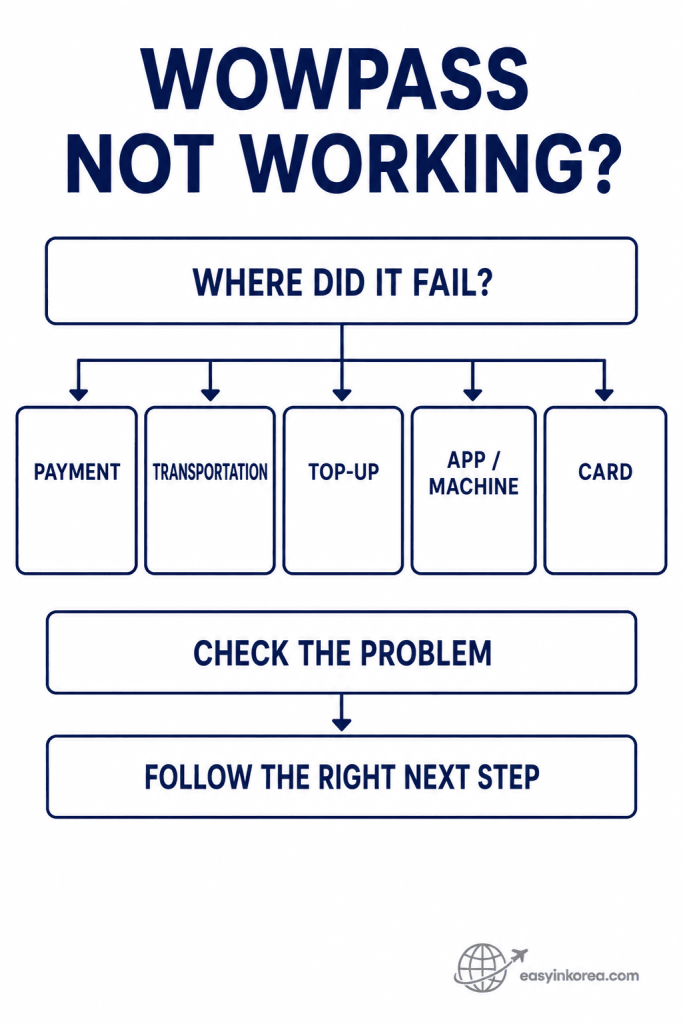
Do not treat every WOWPASS problem as the same failure. A declined store payment, a transportation issue, a failed top-up, an app or machine problem, and a card problem can require different checks.
Start with the place where the problem appeared. Check the relevant balance, screen message, app or machine instruction, or card status before repeating the same action.
The WOWPASS Complete Guide uses this problem-first approach so you can match the failure to the right recovery step instead of trying unrelated fixes.
The troubleshooting part of this WOWPASS Complete Guide starts with one question: where did the problem happen?
Payment Failed
Check the payment balance and read the transaction message. If the purchase still cannot be completed, use another available payment method.
Transportation Did Not Work
Check the Tmoney transportation balance first. A payment balance problem and a transportation balance problem are not the same issue.
Top-Up Did Not Finish
Read the current app or machine message. Check whether the method you are using is supported before repeating the transaction.
Card Lost or Stolen
Open the official app and check the current card-security and recovery options as soon as possible.
For problem-specific recovery steps, use the WOWPASS Troubleshooting Guide.
Common WOWPASS Travel Situations
The right next step depends on what you were trying to do when the problem appeared.
Not sure which WOWPASS section you need? Find your current situation in the map first, then continue with the step that matches what you are trying to do.
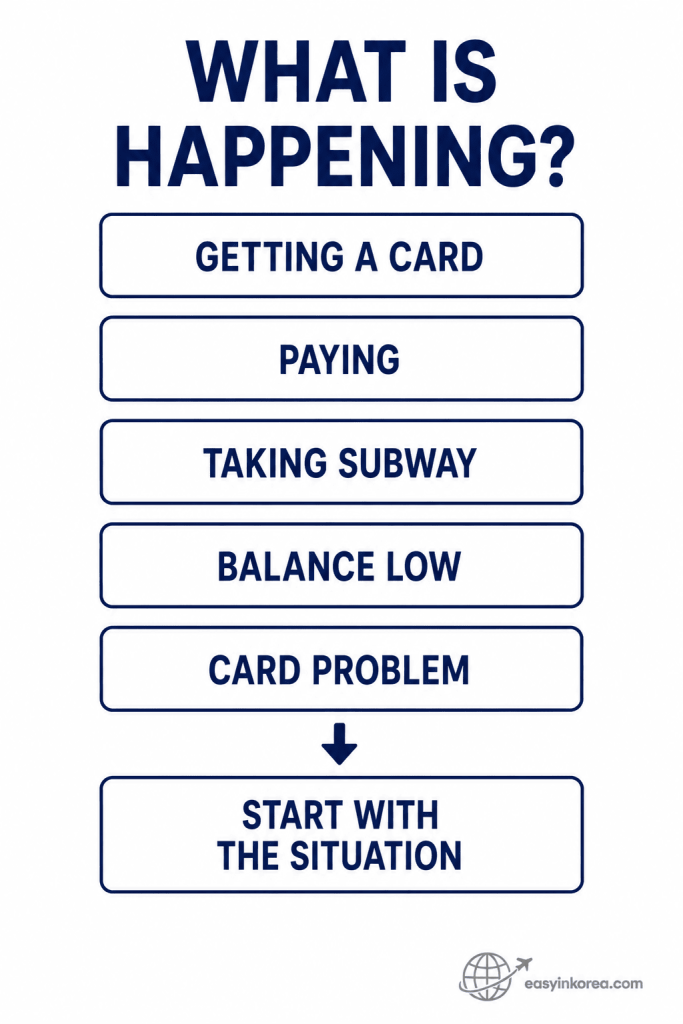
You do not need to solve every WOWPASS question at once. Start with what you are trying to do now, then check only the information that matches that situation.
Getting a card, making a payment, taking the subway, dealing with a low balance, and checking a card problem can lead to different next steps. Starting with the situation helps you avoid following instructions for a different problem.
Use this WOWPASS Complete Guide as a practical route through those situations, and move to the section that matches your next action.
Arriving in Korea
Need a WOWPASS card? Check a current issuance location, follow the machine instructions, then check whether you also need transportation balance for your first trip.
Entering the Subway
If the gate does not open, check the Tmoney transportation balance before trying unrelated payment fixes.
Paying at a Store
If a transaction fails, check the payment balance and read the terminal message. Keep another usable payment method ready if the transaction cannot be completed.
Transportation Balance Is Low
Check the transportation balance and use a currently supported top-up option before continuing your trip.
Card Is Missing
Check the official WOWPASS app and current support options. Use your backup payment method while you handle the card issue.
Before You Rely on WOWPASS
One payment method should not be your only plan while traveling.
Check both balances.
Know whether you need payment money or transportation money.
Keep another payment method.
A backup card can help when a payment, machine, or service is unavailable.
Keep Korean won when needed.
Some travel situations may still require or work better with cash.
Use current information.
Fees, limits, supported services, app functions, and machine locations can change.
Protect your account information.
Use official WOWPASS channels when you need card or account support.
Frequently Asked Questions
These answers cover the WOWPASS questions that can cause the most confusion during a trip.
Is WOWPASS the same as T-money?
No. WOWPASS includes a Tmoney transportation function, but the WOWPASS payment balance and transportation balance serve different purposes.
Can I use WOWPASS on the subway?
Use the card’s transportation function and make sure the Tmoney transportation balance has enough money before entering the gate.
Does topping up the WOWPASS payment balance also top up transportation?
Do not assume that it does. Check the transportation balance separately and use the current supported top-up method for that balance.
Where can I get WOWPASS?
Check the current official machine or issuance-location information before you go. Locations and available services can change.
Can I check WOWPASS in the app?
The official app currently provides balance and card-management functions, including transportation balance information and payment activity features.
What should I do if WOWPASS does not work?
First identify whether the problem happened during payment, transportation, top-up, app use, machine use, or card access. Then follow the matching recovery step.
Should I keep another payment method?
Yes. Keep another usable payment method and Korean won when appropriate so one card problem does not stop the next part of your trip.
Official WOWPASS Information
Check current official information before relying on a fee, limit, machine location, supported service, or app function.
WOWPASS services can change after an older travel guide or screenshot was published. Use the current official source when checking variable information.
WOWPASS Official Website
Check current card services, machines, top-up options, app functions, and service information.
Visit WOWPASS Official
WOWPASS Official Guide
Check current usage guidance for payments and transportation.
View the Official WOWPASS Guide
Current official information should take priority over an older fee, limit, location, exchange detail, or screen instruction.
Conclusion: Check the Balance, Then Take the Next Step
Start with the balance or problem that matches what you are trying to do now.
The key point in this WOWPASS Complete Guide is simple: payment and transportation are on one card, but you still need to check the correct balance for the action you are taking.
Before paying, check the WOWPASS payment balance. Before taking public transportation, check the Tmoney transportation balance.
If something does not work, identify where the problem happened before choosing the next step. A payment failure, transportation problem, top-up error, machine issue, and lost card do not require the same response.
For fees, limits, machine locations, supported services, and app functions that may change, check the current WOWPASS screen or official information before you act.
Related Guides
Continue with the guide that matches what you need to do next with WOWPASS.