Last updated: August 12, 2026
Start with the visual guide below. Find a WOWPASS kiosk, follow the card issuance steps, and check your card before leaving.
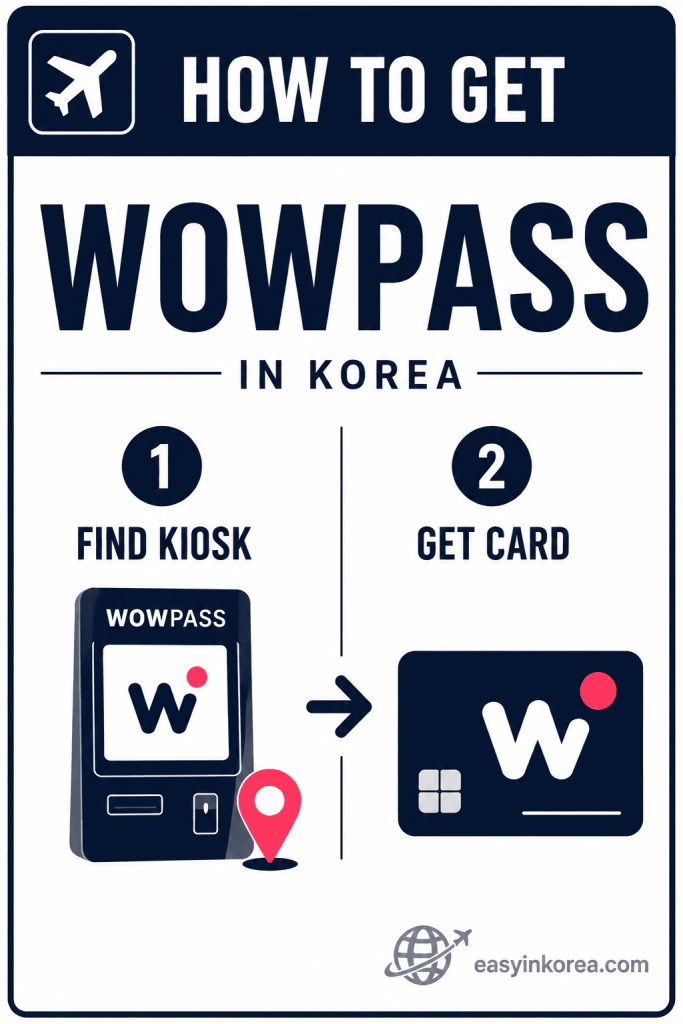
The image shows the basic answer to how to get WOWPASS in Korea.
If you are wondering how to get WOWPASS in Korea, this guide explains every step from finding a kiosk to receiving your travel card.
Start by finding a WOWPASS kiosk at an airport or in the city. Check the latest kiosk location before you travel because locations and operating conditions may change.
Next, follow the instructions on the kiosk screen and complete the card issuance process. Check your WOWPASS card and personal belongings before leaving the machine.
Continue reading for what to prepare, where to find a kiosk, the full step-by-step process, common mistakes, and simple troubleshooting help.
Table of Contents
Quick Answer
Getting a WOWPASS card is easy. You can get one at a WOWPASS kiosk in major travel locations, including Incheon International Airport and many subway stations in Seoul. Card issuance is usually quick, but the time can vary by kiosk, payment method, and waiting line.
Before you start, prepare your passport and a supported payment method. After you receive your WOWPASS card, you can continue with top-up, payments, and public transportation.
Where can you get WOWPASS?
You can get a WOWPASS card at WOWPASS kiosks located at Incheon International Airport, major subway stations, hotels, and popular tourist areas throughout Korea.
What do you need?
- Passport
- A supported payment method
- A nearby WOWPASS kiosk
How long does it take?
Getting a WOWPASS card usually takes about 3 to 5 minutes. The time may vary depending on the kiosk location and the number of people waiting.
What should you do next?
After you receive your WOWPASS card, check that you have your card and receipt before leaving the kiosk. You can then continue to the next guide to learn how to top up your WOWPASS card.
What Is WOWPASS?
WOWPASS is an all-in-one prepaid travel card for international visitors in Korea. You can use it for everyday card payments and public transportation.
The card has a payment balance and a separate transportation balance. Understanding this difference will help you use your card correctly.
What Is a WOWPASS Card?
A WOWPASS card is a prepaid card made for travelers visiting Korea. You add money before using it and spend only the available balance.
You can use the payment balance at many stores, restaurants, cafés, and other card-accepting businesses in Korea. The transportation balance is used separately when you take the subway or bus.
You can also connect the card to the WOWPASS app. The app helps you check your balance, review transactions, and manage your card.
Who Should Use WOWPASS?
WOWPASS may be useful for first-time visitors who want one card for payments and public transportation in Korea.
It may also be helpful for travelers who:
- Want to reduce the amount of cash they carry
- Plan to use subways and buses often
- Want to check their card balance through an app
- Have difficulty using an overseas card at some Korean businesses
- Prefer a simple prepaid travel budget
WOWPASS is not the only payment option in Korea. Your best choice depends on your travel plan, payment cards, transportation needs, and personal preferences.
What Can You Do with WOWPASS?
After you learn how to get WOWPASS, you can use the card for several parts of your trip.
- Pay in stores: Use the payment balance at many card-accepting businesses in Korea.
- Use public transportation: Use the separate transportation balance on subways and buses.
- Check your balance: Connect the card to the WOWPASS app and review your available balance.
- Review transactions: Check recent card activity in the app.
- Manage your card: Use the app for supported card-management features.
Getting the card is only the first step. The next sections explain where to find a WOWPASS kiosk and how to receive your card.
Before You Get WOWPASS
Getting a WOWPASS card is quick and simple. Before you go to a WOWPASS kiosk, make sure you have everything you need. A few minutes of preparation can help you complete the process without any problems.
What You Need Before You Start
Prepare these items before you use a WOWPASS kiosk.
- Your passport – You will need it during the card issuance process.
- A supported payment method – Prepare cash or another supported payment method if you plan to load money onto your WOWPASS card.
- A few minutes of free time – The process usually takes about 3 to 5 minutes.
- A nearby WOWPASS kiosk – You can find kiosks at Incheon International Airport and many popular travel locations in Korea.
Having everything ready before you start will make the process faster and easier.
Things to Check Before Using a WOWPASS Kiosk
Before you begin, take a few seconds to check the kiosk.
- Make sure the kiosk is a WOWPASS kiosk.
- Check that the screen is working normally.
- Select your preferred language before continuing.
- Read each instruction carefully before confirming.
- Keep your passport and payment method ready until the process is complete.
After you receive your WOWPASS card, do not leave the kiosk immediately. Check that you have your card before moving to the next step.
Where Can You Get WOWPASS?
You can get a WOWPASS card at self-service WOWPASS kiosks in many popular travel locations across Korea. Many international visitors get their first WOWPASS card at the airport, but you can also find kiosks at major subway stations, hotels, convenience stores, and tourist areas. WOWPASS continues to expand its kiosk network across the country.
Get WOWPASS at Incheon Airport
Incheon International Airport is one of the most convenient places to get a WOWPASS card. Depending on your arrival terminal and reservation method, you may receive your card from a WOWPASS kiosk, selected CU convenience stores, or other official pickup locations inside the airport.
Getting your WOWPASS card before leaving the airport can help you pay for transportation, shopping, and meals as soon as you begin your trip.
Get WOWPASS in Seoul
If you do not get a WOWPASS card at the airport, you can easily get one after arriving in Seoul. WOWPASS kiosks are available at many major subway stations, hotels, convenience stores, and popular tourist areas.
Many travelers choose to get their WOWPASS card after checking into their hotel or while visiting popular areas such as Myeongdong, Hongdae, Gangnam, or Seoul Station, where WOWPASS kiosks are commonly available.
Find Other WOWPASS Kiosk Locations
The easiest way to find the nearest WOWPASS kiosk is to use the official WOWPASS kiosk finder or the WOWPASS app. The available locations may change over time as new kiosks are added.
Before you visit a kiosk, check the latest location and operating information using the official WOWPASS services. This helps you avoid unnecessary travel and ensures you go to an available kiosk.
How to Get WOWPASS Step by Step
Getting a WOWPASS card is simple. Follow these five steps to receive your card at an official WOWPASS kiosk. Most travelers can complete the process in about 3 to 5 minutes.
Step 1. Find a WOWPASS Kiosk
Go to an official WOWPASS kiosk. You can find WOWPASS kiosks at Incheon International Airport, major subway stations, hotels, convenience stores, and other popular travel locations across Korea.
If you are not sure where the nearest kiosk is, use the official WOWPASS app or kiosk locator before you travel.
Step 2. Choose Your Language
When the kiosk screen appears, select your preferred language. The WOWPASS kiosk supports multiple languages, making it easy for international visitors to follow the instructions.
Read each screen carefully before continuing to the next step.
Step 3. Buy Your WOWPASS Card
Follow the instructions on the kiosk screen to purchase your WOWPASS card. During the process, you may be asked to prepare your passport and complete the required steps shown on the display.
If you want to add money immediately, follow the on-screen instructions for the available payment options.
Step 4. Receive Your WOWPASS Card
After the process is complete, collect your new WOWPASS card from the card slot. If a receipt is printed, take it with you before leaving the kiosk.
Do not walk away until you have received everything from the kiosk.
Step 5. Check Your WOWPASS Card
Before leaving, make sure you have your WOWPASS card and any receipt provided by the kiosk. Check that your card looks normal and has been issued successfully.
Once everything is ready, you can continue to the next guides to learn how to top up your WOWPASS card, pay with WOWPASS, and use WOWPASS on public transportation.
Before You Leave the Kiosk
Before you walk away, take a few seconds to make sure everything is ready. A quick check now can help you avoid problems later during your trip.
Check Your WOWPASS Card
Make sure you have received your WOWPASS card from the kiosk. Check that the card looks normal and is not damaged before you leave.
If you plan to use the WOWPASS app, you can connect your card after completing the card issuance process.
Keep Your Receipt
If the kiosk prints a receipt, keep it until you have confirmed that your WOWPASS card has been issued successfully. The receipt may be useful if you need customer support or have questions about your transaction.
Store the receipt in a safe place until you no longer need it.
Make Sure Everything Is Ready
Before leaving the kiosk, complete this final checklist:
- ✔ Your WOWPASS card has been issued.
- ✔ You have collected your WOWPASS card.
- ✔ You have taken your receipt, if one was printed.
- ✔ You have all of your personal belongings.
Once everything is ready, you can continue to the next guide to learn how to top up your WOWPASS card and start using it for shopping and public transportation in Korea.
Common Mistakes
Getting a WOWPASS card is usually simple, but a few common mistakes can cause unnecessary problems. Check these tips before leaving the kiosk.
Leaving Without Taking Your Card
Some travelers complete the process and walk away before collecting their WOWPASS card. Always wait until your card is dispensed and take it before leaving the kiosk.
If a receipt is printed, take that as well.
Forgetting to Check the Card
Before you leave, make sure you received the correct WOWPASS card and that it is not damaged. It only takes a few seconds to check, but it can save time later if there is a problem.
Confusing Payment Balance and Transportation Balance
WOWPASS uses separate balances for shopping and public transportation. Money added to your payment balance is different from the transportation balance used for subways and buses.
Understanding the difference before you travel can help you avoid confusion when making payments or using public transportation.
Using the Wrong Card at the Gate
If you carry more than one contactless card in your wallet or phone case, the subway gate may read the wrong card. This can cause a failed tap or charge a different card than you expected.
To avoid this, tap only your WOWPASS card on the card reader when entering or leaving the subway or boarding a bus.
If You Have a Problem
Most travelers receive their WOWPASS card without any issues. If something does not go as expected, do not worry. The following tips can help you solve the most common problems quickly.
I Can’t Find a WOWPASS Kiosk
If you cannot find a WOWPASS kiosk, use the official WOWPASS app or the official kiosk locator to check the nearest available location. Kiosk locations may change as new locations are added or existing ones are updated.
If you are at the airport, you can also ask an airport information desk for directions to the nearest WOWPASS kiosk.
The Kiosk Does Not Work
If the kiosk screen is frozen, out of service, or cannot complete your request, do not continue using it. Look for another nearby WOWPASS kiosk or try again later.
Do not force the machine or insert anything that is not requested on the screen.
My Card Was Not Issued
If the process is complete but your WOWPASS card is not dispensed, first check whether the machine displays any instructions or error messages. Do not leave the kiosk until you have confirmed the result.
If the problem continues, keep your receipt if one was printed and contact WOWPASS customer support for assistance.
I Need Help
If you cannot solve the problem yourself, contact the official WOWPASS customer support team through the official website or the WOWPASS app. Be ready to explain what happened and provide your receipt or transaction information if available.
Most issues can be resolved more quickly if you keep your WOWPASS card, receipt, and payment information until your request has been completed.
Real Traveler Situations
Every traveler arrives in Korea with a different plan. Find the situation that matches your trip and follow the simple steps below.
First, check whether you reserved your WOWPASS card before arriving in Korea.
If you made a reservation, open the reservation details. Check your terminal, pickup location, and pickup method.
Do not assume that every WOWPASS service accepts the same payment methods.
Check the payment method for your selected product or pickup option before visiting the location.
Choose a pickup location that fits your travel route. Do not carry your bags between several kiosks.
Look for a location near your airport route, hotel, subway station, or next destination.
Select your preferred language before starting the process.
Read one screen at a time. Do not confirm a step that you do not understand.
Do not assume that every pickup counter, store, or support desk is open all night.
Check the current operating information before arrival. You can also get your card later from another official location.
The WOWPASS payment balance and transportation balance are separate.
Check that the transportation balance is ready before entering the subway or boarding a bus.
You do not need to return to the airport just to get a WOWPASS card.
Find an official location near your hotel, subway station, or planned travel route.
Before You Continue
Now that you have your WOWPASS card, the next step is to add money to your card before using it for shopping or public transportation.
Continue to How to Top Up WOWPASS.
Easy in Korea — Travelers Wish They Knew…
It is easier to get your card when you have time, rather than searching for a kiosk just before taking the subway or paying for your first meal.
Many first-time visitors think the payment balance also works for buses and subways. Check your transportation balance before entering the station.
It is easier to find kiosk locations, check your balance, and manage your card after you arrive in Korea.
If you have heavy luggage, look for a kiosk near your airport route, hotel, or destination instead of making a separate trip just to get the card.
Make sure you have your WOWPASS card, your receipt if one was printed, and all of your personal belongings before leaving the kiosk.
Getting your WOWPASS card is only the first step. Before using it for shopping or public transportation, learn how to add money to your card correctly.
Next Guide → How to Top Up WOWPASS
Frequently Asked Questions (FAQ)
Check the payment instructions shown in the official WOWPASS app, website, or reservation details before visiting the location. Keep another payment method available until your card has been issued successfully.
Before arrival, check the official instructions for your terminal and pickup location. If you already made a reservation, follow the location and collection method shown in your reservation details.
Allow extra time at busy airport or tourist locations. The process may take longer if you need to check a reservation, change the screen language, prepare payment, or contact customer support.
Each traveler should normally use and manage their own card. Check the current official rules before trying to purchase several cards for family members or other travelers.
AI Travel Assistant
Use these simple questions in an AI travel assistant when you need help during your trip.
Official Information
Visit the official WOWPASS website for the latest information about kiosks, airport pickup, card services, supported languages, fees, announcements, and travel guides.
https://www.wowpass.io
The official app helps you manage your WOWPASS card, find nearby kiosks, check your balance, and access the latest service information while traveling in Korea.
WOWPASS
If you have a problem with card issuance, payment, pickup, or your account, contact the official WOWPASS customer support team. Keep your receipt or transaction information if available to help resolve your issue more quickly.
Use the official WOWPASS website or app to find the latest customer support options and contact information.
WOWPASS services, kiosk locations, operating hours, payment methods, supported countries, and fees may change over time. Always check the official WOWPASS website or app for the most up-to-date information before your trip.
Conclusion
Getting a WOWPASS card is usually a simple process when you know the steps in advance. By preparing before you arrive, checking the official instructions, and understanding how the card works, you can avoid common mistakes and start your trip with more confidence.
Remember that getting your card is only the first step. Before using public transportation or making purchases, make sure your balances are set up correctly and that your card is ready to use.
Learn how to add money to your WOWPASS card, understand the difference between the payment balance and the transportation balance, and get ready to use your card throughout your trip.
→ Continue to How to Top Up WOWPASS
Continue with the guide that matches what you want to do after getting your WOWPASS card.