Ready to pay at a store?
Check How to Pay with WOWPASS before you use the payment terminal.
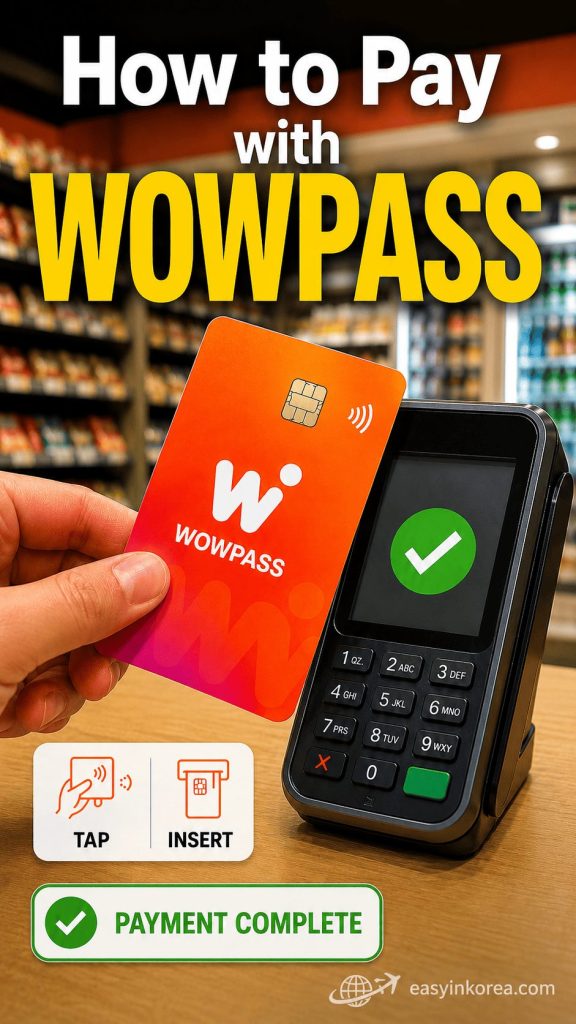
This image shows How to Pay with WOWPASS at a store in Korea.
First, check that your WOWPASS payment balance is enough.
Give the card to the store staff or use the payment terminal in front of you.
Follow the instruction shown on the terminal.
Tap the card when contactless payment is available.
Insert the card when the terminal asks you to do so.
Do not remove the card too early.
Wait for the green check or payment confirmation.
Your payment is complete when the terminal confirms the transaction.
Payment terminals may look different at each store.
Ask the store staff for help if the terminal shows an error or the payment does not go through.
Found this image while searching for How to Pay with WOWPASS? Continue reading for the full payment steps, common terminal problems, balance checks, and simple recovery actions for foreign travelers in Korea.
Introduction
If you are wondering how to pay with WOWPASS in Korea, this guide will help you use your card with confidence. WOWPASS lets foreign travelers pay at many shops, restaurants, cafés, convenience stores, and other places that accept card payments.
You can use WOWPASS for everyday purchases during your trip. In most cases, paying with WOWPASS is as simple as tapping or inserting your card at the payment terminal.
In this guide, you will learn how to pay with WOWPASS step by step, where you can use it, how contactless payment works, and what to do if your payment does not go through. By the end, you will be ready to pay more confidently while traveling in Korea.
Table of Contents
Can You Pay with WOWPASS Everywhere?
Many travelers ask how to pay with WOWPASS and where they can use it. The good news is that WOWPASS works at most places in Korea that accept Visa card payments. You can use it for everyday shopping, dining, and many travel expenses.
WOWPASS is a prepaid card that uses the Visa payment network. If a store accepts Visa cards, you can usually pay with WOWPASS in the same way. Simply tap your card for contactless payment or insert it into the payment terminal if requested.
You can usually pay with WOWPASS at:
- Convenience stores
- Cafés and coffee shops
- Restaurants
- Supermarkets
- Department stores
- Cosmetics stores
- Clothing shops
- Tourist attractions
- Many taxis
However, WOWPASS may not work everywhere. Some small local shops, traditional markets, or cash-only businesses may not accept card payments. In these places, you may need to pay with cash instead.
Before making a purchase, look for the Visa logo near the cashier or on the payment terminal. If you are unsure, simply ask, “Can I pay with this card?” Most staff can quickly tell you whether WOWPASS is accepted.
Before You Pay
Before you learn how to pay with WOWPASS, take a few seconds to check your card. A quick check can help you avoid payment problems at the checkout.
First, check your payment balance in the WOWPASS app or at a WOWPASS kiosk. Make sure you have enough money for your purchase.
Next, remember that your payment balance and transport balance are different. The payment balance is used for shopping, restaurants, cafés, and other card payments. The transport balance is only used for buses, subways, and other public transportation. Money in your transport balance cannot be used for shopping.
Finally, make sure your WOWPASS card is activated and ready to use. If you have just received your card, complete the activation process before making your first payment.
Taking these simple steps before you pay will make how to pay with WOWPASS much easier and help you complete your purchase without unexpected problems.
How to Pay with WOWPASS
Learning how to pay with WOWPASS is easy. In most stores, the payment process is the same as using a regular Visa card. Follow these simple steps.
Step 1. Tell the Cashier You Will Pay by Card
Take your WOWPASS card out before you reach the payment terminal. If needed, tell the cashier that you would like to pay by card. The cashier will prepare the payment terminal for you.
Step 2. Tap or Insert Your WOWPASS Card
When the payment terminal is ready, tap your WOWPASS card on the contactless reader. If contactless payment is not available or the terminal asks for it, insert your card into the card reader instead.
Step 3. Wait for Payment Approval
Keep your card in place for a few seconds if you are tapping, or leave it in the terminal until the transaction is complete. Wait for the approval message or sound before removing your card.
Step 4. Collect Your Receipt
After the payment is approved, take your receipt if you need one. Your purchase is complete, and you are ready to continue your trip.
Once you understand how to pay with WOWPASS, paying at most shops, cafés, restaurants, and convenience stores in Korea becomes quick and easy.
Contactless Payment
When learning how to pay with WOWPASS, you will often use contactless payment. Many stores in Korea support tap-to-pay, making purchases quick and convenient.
To pay, hold your WOWPASS card near the contactless payment symbol on the terminal. Keep the card still for a few seconds until you hear a beep or see an approval message.
Sometimes contactless payment may not work. This does not always mean there is a problem with your card. Some payment terminals require the card to be inserted instead of tapped.
If the terminal asks you to insert your card, simply insert your WOWPASS card into the card reader and wait for the payment to be approved. Follow the instructions on the screen and remove your card only after the transaction is complete.
Knowing both contactless and chip payments will make how to pay with WOWPASS easier in almost every shop, restaurant, and convenience store in Korea.
Paying at Self-Checkout Kiosks
As you learn how to pay with WOWPASS, you may also use self-checkout kiosks. These machines are common in Korea and are easy to use, even if you do not speak Korean.
You can find self-checkout kiosks in many convenience stores, supermarkets, and fast food restaurants. After selecting your items, choose Card as the payment method on the screen.
When the payment terminal is ready, tap your WOWPASS card on the contactless reader. If the terminal asks for a chip card, insert your WOWPASS card instead and wait for the payment to be approved.
If you are unsure what to do, many kiosks offer English and other language options. You can also ask a staff member for help before completing your payment.
Once you understand how to pay with WOWPASS at self-checkout kiosks, buying snacks, drinks, groceries, and fast food in Korea becomes quick and simple.
Paying at Restaurants
Knowing how to pay with WOWPASS at restaurants can make dining in Korea much easier. While every restaurant is different, many casual restaurants ask you to pay at the counter instead of at your table.
In many restaurants, you order your food, enjoy your meal, and then pay before leaving. When you are ready to pay, go to the cashier with your WOWPASS card. The staff will prepare the payment terminal for you.
Some restaurants offer table payment, but this is less common. If a payment terminal is brought to your table, simply tap or insert your WOWPASS card when instructed.
If you are not sure where to pay, look for the cashier near the entrance or ask a staff member. They will show you where to complete your payment.
Once you understand how to pay with WOWPASS at restaurants, ordering and paying for meals in Korea becomes simple and stress-free.
Paying at Convenience Stores
One of the easiest ways to practice how to pay with WOWPASS is at a convenience store. Most major convenience store chains in Korea, including GS25, CU, 7-Eleven, and emart24, accept card payments.
Take your items to the cashier and wait until the total amount appears on the payment terminal. Then tap your WOWPASS card on the contactless reader. If the terminal asks for a chip card, insert your WOWPASS card and wait for the payment to be approved.
Most convenience stores also have self-checkout kiosks. Choose Card as the payment method, then tap or insert your WOWPASS card when the terminal is ready.
If your payment is declined, first check your payment balance in the WOWPASS app. In most cases, adding more money to your payment balance will solve the problem.
After you learn how to pay with WOWPASS at convenience stores, buying drinks, snacks, travel essentials, and daily items in Korea becomes fast and easy.
Paying for Shopping
After learning how to pay with WOWPASS, you can use your card at many popular shopping destinations in Korea. WOWPASS is accepted at most stores that take Visa card payments.
You can usually pay with WOWPASS at department stores, cosmetics shops, duty-free shops, clothing stores, and many other retail stores. After the cashier enters the total amount, simply tap your WOWPASS card or insert it if the payment terminal requests a chip card.
Many international travelers use WOWPASS when shopping for Korean cosmetics, fashion, souvenirs, and travel essentials. The payment process is usually quick and works the same way as other Visa cards.
Before making a large purchase, check your payment balance to make sure you have enough funds. This can help you avoid payment delays at the checkout.
Once you understand how to pay with WOWPASS, shopping in Korea becomes simple, convenient, and more enjoyable.
Can You Use WOWPASS for Transportation?
Many travelers learning how to pay with WOWPASS are surprised to find that the card has two separate balances. Understanding the difference will help you avoid payment problems during your trip.
The payment balance is used for shopping, restaurants, cafés, convenience stores, and other places that accept card payments.
The transport balance is only used for public transportation, such as subways, buses, and some taxis that accept transportation card payments.
These two balances are completely separate. Money in your transport balance cannot be used for shopping, and money in your payment balance cannot be used for subway or bus fares.
Before you travel or shop, check that you have enough money in the correct balance. If you are going shopping, make sure your payment balance is sufficient. If you plan to use public transportation, make sure your transport balance has enough funds.
Understanding this difference is one of the most important parts of how to pay with WOWPASS and will help you avoid one of the most common mistakes made by first-time visitors to Korea.
What If Payment Is Declined?
Even if you know how to pay with WOWPASS, a payment may sometimes be declined. In most cases, the problem is simple and can be fixed in a few minutes.
Insufficient Payment Balance
The most common reason is that your payment balance is too low. Open the WOWPASS app or use a WOWPASS kiosk to check your balance. Add more money if needed, then try your payment again.
Wrong Balance
Remember that the payment balance and transport balance are separate. Money in your transport balance cannot be used for shopping. Make sure you have enough money in your payment balance before trying again.
Card Problem
If your WOWPASS card is not working, clean the chip and try again. If contactless payment does not work, insert the card into the payment terminal instead. If the problem continues, check your card status in the WOWPASS app or contact WOWPASS customer support.
Store Network Issue
Sometimes the problem is not your card. The store’s payment terminal or network may be temporarily unavailable. Wait a few minutes or ask the cashier to try again.
Simple Solutions
If your payment is declined, stay calm and check one thing at a time.
- Check your payment balance.
- Confirm you are using the payment balance, not the transport balance.
- Try tapping your card again or insert it into the terminal.
- Ask the cashier to try the payment one more time.
- If the problem continues, use another payment method and contact WOWPASS customer support later.
Understanding these simple steps is an important part of how to pay with WOWPASS and can help you solve most payment problems quickly while traveling in Korea.
Real Traveler Situations
These real-life examples show how to pay with WOWPASS during a trip to Korea.
☕ Buying Coffee
You order a coffee at a café. When the payment terminal is ready, tap your WOWPASS card. If tapping is not available, insert your card instead.
💄 Shopping at Olive Young
You choose your cosmetics and take them to the cashier. Check that you have enough payment balance, then tap or insert your WOWPASS card to complete your purchase.
🛒 Paying at CU
You buy snacks and bottled water at CU. The cashier shows the payment terminal. Tap your WOWPASS card or insert it if requested.
🛍 Shopping at Daiso
You buy travel items and souvenirs at Daiso. Pay the same way you would with any other Visa card. Wait for the approval message before removing your card.
🍜 Paying at a Restaurant
After your meal, go to the cashier if the restaurant uses counter payment. Tap or insert your WOWPASS card and wait until the payment is approved before leaving.
Once you understand how to pay with WOWPASS in these common situations, paying for everyday purchases in Korea becomes simple and comfortable.
Before You Continue
Check These Before You Pay
Before you continue learning how to pay with WOWPASS, check these simple points. They can help you avoid common payment problems in Korea.
Do you have enough payment balance?
Check your payment balance in the WOWPASS app before shopping, eating, or buying drinks.
Are you checking the correct balance?
Shopping uses the payment balance. Subways and buses use the separate transport balance.
Is your card ready to use?
Make sure your WOWPASS card is activated and not locked or suspended in the app.
What should you do if tapping fails?
Insert the card into the payment terminal and wait for approval.
Should you carry another payment method?
Yes. Keep some cash or another card in case the store terminal or payment network is temporarily unavailable.
Check one thing at a time. Most WOWPASS payment problems are simple to solve.
Easy in Korea — Travelers Wish They Knew…
WOWPASS has two separate balances. Use the payment balance for shopping and the transport balance for buses and subways.
When learning how to pay with WOWPASS, remember that some payment terminals require you to insert the card instead of tapping it.
A quick balance check can prevent most payment problems at the checkout.
WOWPASS works like a Visa prepaid card. If a store accepts Visa cards, you can usually pay with WOWPASS.
Before every purchase, check your payment balance, keep your WOWPASS card ready, and follow the payment terminal instructions. Knowing how to pay with WOWPASS helps you shop with confidence throughout Korea.
Frequently Asked Questions (FAQ)
These answers explain how to pay with WOWPASS and solve common payment questions during your trip to Korea.
Can I tap my WOWPASS card?
Tap your WOWPASS card when using the Tmoney transport function on a subway or bus. For normal store payments, insert the card’s IC chip into the payment terminal and wait for approval.
Can I pay at restaurants?
Yes. You can normally use WOWPASS at restaurants in Korea that accept local card payments. Take your card to the cashier or follow the restaurant’s payment instructions, then insert the IC chip into the card reader.
Why was my payment declined?
Your payment balance may be too low, your card may be paused, or the store terminal may have a temporary problem. Check your payment balance in the WOWPASS app, confirm that the card is active, and insert the card again. Use another payment method if the problem continues.
Can I use WOWPASS at convenience stores?
Yes. You can normally pay with WOWPASS at convenience stores such as CU, GS25, 7-Eleven, and emart24. Use the WOWPASS payment balance for normal purchases. The separate Tmoney balance may also be accepted for eligible Tmoney payments.
Do I need a PIN?
A PIN is not normally requested for a standard in-person WOWPASS purchase in Korea. Insert the card and follow the payment terminal or cashier instructions. Requirements may differ for a special terminal or transaction.
Can I use WOWPASS outside Korea?
No. WOWPASS is designed for payments at eligible offline merchants in South Korea. Keep another card or payment method ready when traveling outside Korea.
Easy in Korea Tip
The simplest way to remember how to pay with WOWPASS is this: insert the card for shopping, tap the card for subway and bus travel, and check the correct balance before you pay.
AI Travel Assistant (Q&A)
Ask Before You Pay
Simple answers for common WOWPASS payment situations
Use these quick answers when you need help understanding how to pay with WOWPASS during your trip to Korea.
Q. How do I pay with WOWPASS at a store?
Give your card to the cashier or insert the IC chip into the payment terminal. Wait until the payment is approved before removing the card.
Q. Which balance should I check before shopping?
Check the WOWPASS payment balance. The transport balance is separate and is used for subway and bus travel.
Q. What should I do if my payment is declined?
Check your payment balance first. Then confirm that the card is active and insert it again. Ask the cashier to retry the payment if needed.
Q. Can I use WOWPASS at cafés and restaurants?
Yes. You can normally use WOWPASS at cafés, restaurants, shops, and convenience stores in Korea that accept card payments.
Q. Do I tap or insert the card?
Insert the card for normal store payments. Tap the card when using the Tmoney transport function on subways and buses.
Q. What if WOWPASS still does not work?
Use another payment method for that purchase. Then check your card status in the WOWPASS app or contact WOWPASS support.
Quick Answer
The easiest way to remember how to pay with WOWPASS is: check the payment balance, insert the card for shopping, tap it for transportation, and wait for approval.
Official Information
Use the official sources below to confirm the latest information about how to pay with WOWPASS, card use, supported stores, and payment-terminal instructions.
WOWPASS Official
Official card-use and payment guidance
What information can I check?
The official WOWPASS guide explains card payments, balance management, transportation use, kiosk services, and support options. It states that the WOWPASS payment balance can be used at offline merchants in Korea that accept local credit or debit card payments.
Visa Acceptance Information
Payment network and terminal guidance
What does the Visa information explain?
Visa explains how card acceptance symbols and contactless-payment symbols work. A contactless symbol on a payment terminal shows where an eligible contactless card or device can be tapped. Always follow the terminal instructions shown at the store.
Which source should I check first?
Check WOWPASS Official first for information about your WOWPASS card, balance, app, or payment problem. Check Visa information for general payment-network and contactless-symbol guidance.
Easy in Korea Reminder
Services, merchant acceptance, and payment procedures can change. When you need the latest answer about how to pay with WOWPASS, confirm it through the official WOWPASS guide or customer support.
Disclaimer
This guide explains how to pay with WOWPASS in simple steps for international travelers in Korea.
Is this an official WOWPASS website?
No. Easy in Korea is an independent travel information website. It is not operated by WOWPASS, Visa, Tmoney, a bank, or a payment company.
Can payment methods change?
Yes. Card acceptance, terminal instructions, fees, limits, supported services, and app features may change without notice.
Will WOWPASS work at every store?
Not always. Payment acceptance depends on the merchant, payment terminal, network status, card status, and available WOWPASS payment balance.
What should I do before paying?
Check your payment balance, confirm that your card is active, and follow the instructions shown by the cashier or payment terminal.
What if the information is different?
Follow the latest official WOWPASS app, website, customer support, merchant, and payment-terminal instructions. Official information should always take priority over this guide.
Important
Easy in Korea does not guarantee that every WOWPASS payment will be approved. Keep another card or some cash available in case your payment cannot be completed.
Easy in Korea Reminder
This guide is designed to help you understand how to pay with WOWPASS, but the final payment decision and transaction result depend on the official service provider and merchant.
Last Updated
This section shows when the information in this how to pay with WOWPASS guide was last reviewed.
When was this guide last updated?
This guide was last updated on July 21, 2026.
What information was reviewed?
The review covered WOWPASS store payments, payment and transport balances, card insertion, Tmoney tapping, declined payments, supported locations, and common traveler questions.
Was official information checked?
Yes. The guide was reviewed against available official WOWPASS information and general payment-network guidance.
Can this information change?
Yes. WOWPASS services, payment procedures, app features, merchant acceptance, limits, and support options may change after this review date.
What should I do before using WOWPASS?
Check the latest WOWPASS app, official website, payment terminal, or customer support instructions before making an important payment.
Easy in Korea Review Note
Easy in Korea reviews practical travel information to keep this how to pay with WOWPASS guide clear, useful, and easy to follow for international visitors.
Conclusion
Ready to Pay with WOWPASS
A quick review before you reach the cashier
If you remember these simple steps, how to pay with WOWPASS becomes easy almost anywhere in Korea.
Make sure your WOWPASS payment balance is enough before shopping.
Follow the payment terminal instructions. If the terminal supports contactless payment, follow the on-screen guidance.
Use the separate Tmoney balance when entering or leaving public transportation.
Keep another card or some cash ready in case a payment cannot be completed.
Review your balance, card status, and account information whenever you are unsure.
Final Tip
The easiest way to remember how to pay with WOWPASS is simple: check your payment balance, insert the card for shopping, tap it for public transportation, and always follow the payment terminal instructions.
Travel Korea with Less Worry
Easy steps for real travel situations
Paying in a new country can feel stressful, especially when the card reader, cashier instructions, or payment system looks unfamiliar.
This guide was created to help you understand how to pay with WOWPASS before you reach the cashier. You do not need to understand every part of Korea’s payment system. You only need to know what to check and what to do next.
Easy in Korea will continue to turn confusing travel situations into clear, practical actions so you can move through Korea with more confidence and less worry.
Easy in Korea
Google Maps tells you where to go. Easy in Korea helps you understand what to do next.