Quick Answer
Looking for an ATM near Namdaemun Market with a foreign card?
Two useful market-area options are listed in official bank Global ATM information: Woori Bank NAMDAEMUN SHIJANG BR. at 25-8 Namdaemunsijang-gil and Hana Bank Namdaemun Shijang(S) at 45-3 Namdaemunsijang-gil.
Do not choose by the order on this page. Check both walking routes from your current location, choose the easier route for you, and verify the actual ATM and your card network before withdrawing Korean won.
Travelers Wish They Knew This Before Looking for an ATM near Namdaemun Market
You do not need to leave Namdaemun Market immediately just because you need cash.
Official bank information lists Global ATM locations on Namdaemunsijang-gil for both Woori Bank and Hana Bank.
The important question is not: “Which ATM is first on this page?”
Ask: “Which verified destination is easier from where I am now?”
Also remember that an ATM location, a bank-listed Global ATM and successful use of your particular foreign-issued card are not the same thing.
Quick Navigation
1. Find Where You Are in Namdaemun Market
2. Compare Two Verified Global ATMs
3. Check Walking Time Before You Go
4. Check the ATM Before Using Your Foreign Card
5. Withdraw Korean Won
6. If the ATM Does Not Work
7. Final Check Before You Leave
1. Find Where You Are in Namdaemun Market
Start from a place you already recognize. You do not need to cross the market before comparing the two ATM routes.
Near Hoehyeon Station
If you arrived on Seoul Subway Line 4, use Hoehyeon Station as your starting anchor.
Namdaemun Market spreads across several streets, so your exact position changes which ATM route is easier.
Already Inside the Market
Use a market gate, street, shopping building or another place you can recognize.
You do not need to find the “center” of Namdaemun Market first.
Coming from the Sungnyemun Side
If you entered from the Seoul Station, Sungnyemun or northern side of the market, compare the routes from where you are now instead of automatically walking toward Hoehyeon Station.
START FROM A PLACE YOU RECOGNIZE.
2. Compare Two Verified Global ATMs
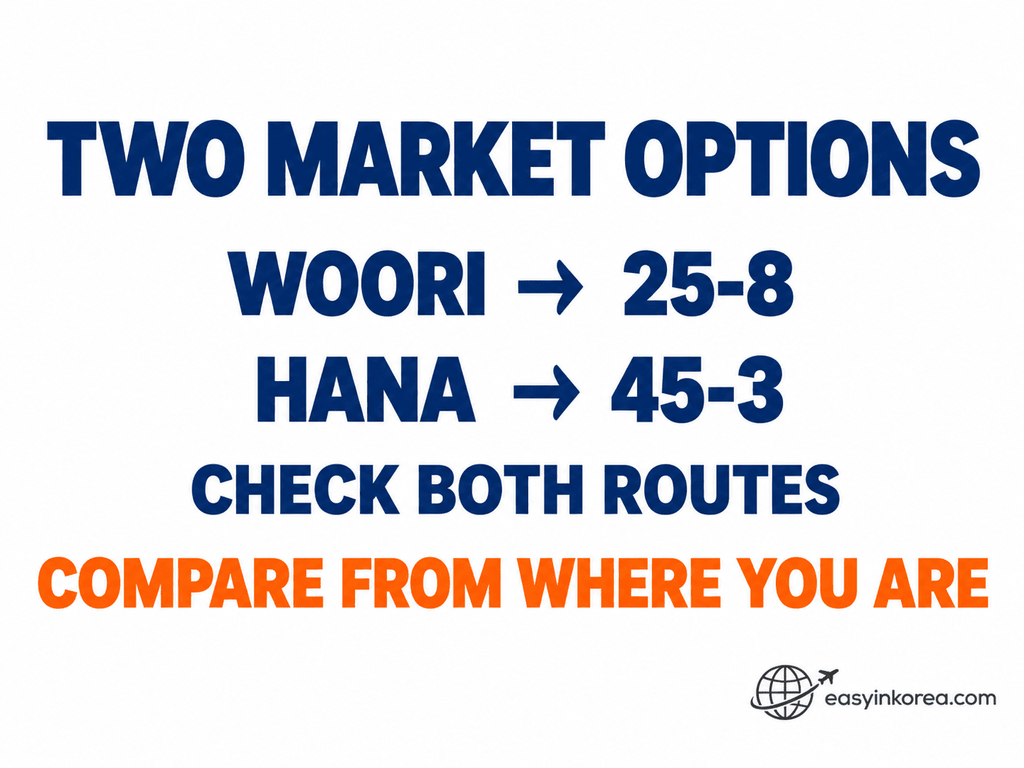
Both options are on Namdaemunsijang-gil. Compare them from your current location instead of assuming that Option 1 is closer.
Woori Bank — NAMDAEMUN SHIJANG BR.
Official English address:
25-8, Namdaemunsijang-gil, Jung-gu, Seoul
Korean:
우리은행 남대문시장지점
서울 중구 남대문시장길 25-8
Evidence: Listed in Woori Bank Global ATM information.
CHECK WALKING TIME →Hana Bank — Namdaemun Shijang(S)
Official English address:
45-3, Namdaemunsijang-gil, Jung-gu, Seoul
Korean:
하나은행 남대문시장
서울 중구 남대문시장길 45-3
Type: 365 Corner Global ATM
Evidence: Listed in Hana Bank Global ATM information.
CHECK WALKING TIME →Choose by your current location, not by the order on this page.
Can You Use ATMs at Other Banks?
Yes! You can also use ATMs at other banks in Korea. You do not have to use only Woori Bank or Hana Bank.
Look for an ATM marked Global ATM or International Cards.
Check for your card logo, such as Visa, PLUS, Mastercard, Maestro, Cirrus, JCB, or UnionPay. If the ATM supports your card network, you can try withdrawing Korean won.
Why do we show Woori Bank and Hana Bank? Their official Global ATM searches help us find specific locations and give you Google Maps walking directions.
Just check the walking time from where you are and choose the route that works for you.
3. Check Walking Time Before You Go
Open both Google Maps buttons before you start walking.
The route starts from your current location, so you can compare the walking distance and route that make sense for you now.
This matters at Namdaemun Market because two travelers can be inside the same market but start from different streets or entrances.
OFFICIAL BANK DATA → What the bank lists
VERIFIED ADDRESS → Where you intend to go
GOOGLE MAPS → How to get there
Google Maps is used for navigation only. It is not the evidence that a location is a Global ATM.
4. Check the ATM Before Using Your Foreign Card
Reaching the correct address is not the last check. Look at the actual ATM before starting the transaction.

Look for Global ATM Information
Check the actual machine for Global ATM or international-card information before starting.
Match Your Card Network
Look for a network logo that matches your card.
Depending on the machine, you may see networks such as Visa, PLUS, Mastercard, Maestro, Cirrus, JCB or UnionPay.
A logo or Global ATM label does not guarantee that every foreign-issued card will complete a transaction.
Check the ATM Screen
Follow the options shown on the actual machine.
Screen wording, available languages and transaction steps can vary by bank and ATM.
5. Withdraw Korean Won
Read the ATM screen carefully before confirming your withdrawal.
Check the withdrawal amount, any fee displayed by the ATM, currency or conversion information, and the final transaction details.
Do not assume that every Korean ATM has the same fee, withdrawal limit or screen sequence.
If the ATM offers a currency choice or conversion option, read the amount and exchange information shown on the screen before you decide.
CARD → CASH → AMOUNT → RECEIPT → COMPLETE
6. If the ATM Does Not Work
First identify what failed. A declined transaction and money debited without cash are different problems.
If Your Card Is Declined
Stop repeating the same attempt.
Read the ATM message and change one variable.
Depending on the situation, the next step may be another bank-listed Global ATM, another card, or a check with your card issuer.
For example, if one of the two Namdaemun Market options does not work with your card, you can compare the route to the other bank-listed Global ATM instead of repeating the same transaction.
If You Were Debited but Received No Cash
Stop. This is a different problem.
Save the ATM location, bank or operator, approximate transaction time, amount, receipt if available, and any error or transaction message.
Need Help Finding or Using the ATM?
If you need help from bank staff, market staff or someone nearby, use your preferred translation, voice or conversation mode.
Show the translated screen instead of relying only on pronunciation.
Put the important information on the screen, such as the bank name, address, withdrawal problem or amount involved.
For example, show: “I am looking for the Global ATM at this address.” Then show either 25-8 or 45-3 Namdaemunsijang-gil.
7. Final Check Before You Leave
Do not walk away immediately after the ATM finishes.
Check that you have your card, the expected cash amount and your receipt if one was issued.
If anything looks wrong, save the transaction details before leaving the ATM location.
CARD → CASH → AMOUNT → RECEIPT → COMPLETE
Frequently Asked Questions
Is there a Global ATM inside the Namdaemun Market area?
Official bank information lists Woori Bank NAMDAEMUN SHIJANG BR. at 25-8 Namdaemunsijang-gil and Hana Bank Namdaemun Shijang(S) at 45-3 Namdaemunsijang-gil. Hana identifies its location as a 365 Corner Global ATM.
Which ATM near Namdaemun Market should I try first?
Compare both walking routes from your current location. Do not assume that the first option listed on this page is closer or easier for you.
Can I use any ATM near Namdaemun Market with a foreign card?
Do not assume that every nearby ATM accepts foreign-issued cards. Start with a bank-listed Global ATM and then check the actual machine and your card network.
Does Google Maps confirm that an ATM is a Global ATM?
No. Google Maps is used here for navigation. The Global ATM listing comes from the relevant bank information.
Does a Global ATM guarantee that my foreign card will work?
No. A Global ATM listing helps you choose a suitable location, but the actual ATM, your card network, your card issuer and the transaction conditions determine the final result.
Ask an AI Travel Assistant
If you are already in Namdaemun Market and are unsure which route to take, you can ask an AI travel assistant to compare the two verified destinations in this guide.
“I am at Namdaemun Market in Seoul. Compare the walking route from my current location to Woori Bank at 25-8 Namdaemunsijang-gil and Hana Bank at 45-3 Namdaemunsijang-gil. Do not assume that every nearby ATM accepts foreign cards.”
Use the AI assistant for route comparison or explanation. Use the bank information and the actual ATM for the operational checks described in this guide.
Official Sources and Evidence
Woori Bank — Global ATM Search
Woori Bank’s Global ATM information is used to identify the Namdaemun Market location listed as NAMDAEMUN SHIJANG BR.
Hana Bank — ATM Search
Hana Bank’s ATM information is used to identify Namdaemun Shijang(S) and its 365 Corner Global ATM listing.
Korea Tourism Organization — Namdaemun Market
Official Korea Tourism Organization information is used to cross-check Namdaemun Market’s location and traveler-facing market information.
OFFICIAL BANK DATABASE = what the bank lists
VERIFIED DESTINATION = where you intend to go
GOOGLE MAPS = how to get there
ACTUAL ATM + CARD = whether the transaction can proceed
Conclusion
If you need an ATM near Namdaemun Market for a foreign card, you do not need to start by searching the whole Jung-gu area.
Start with the two market-area locations listed in official bank Global ATM information:
Woori Bank — 25-8 Namdaemunsijang-gil
Hana Bank — 45-3 Namdaemunsijang-gil
Compare both walking routes from where you are, choose the easier route for your current position, and then check the actual ATM and your card network before withdrawing Korean won.
If the transaction fails, identify whether the card was simply declined or money was debited without cash before choosing the recovery step.
RECOGNIZE → CHOOSE → WALK → IDENTIFY → ACT → RECOVER → COMPLETE